

How it works
How to choose in three steps
Three short checks. Model fit comes first. Pin count is a coverage preference—not a ranking of “better” or “worse.”
1. Check your model
Read the model name on the pen body or original box—not only the colour or packaging.
2. Open your row
Open your device family in the table. Note the pin counts and Nano options listed for that row.
3. Pick pin count or Nano
Choose focused, balanced, wider, or Nano—then confirm the product title names your pen.
Orientation
Before you scroll further
Two minutes of clarity so the rest of the page feels easier to finish.
Who this page is for
You already own a Dr. Pen (or you’re about to) and want the right cartridge family without decoding every listing.
- You’re unsure which pin counts fit your model
- You’re comparing Focused vs Wider vs Nano
- You want a calm path before you click Shop
What you’ll leave with
- Your model row in the compatibility table
- A clear tip preference: Focused, Balanced, Wider, or Nano
- A short checklist so you don’t open the wrong sealed pack
Soft tip: keep this tab open while you browse Shop links.
Compatibility by device family
Find cartridges that match your model
Start with the model name printed on your pen, then compare pin counts and Nano options.
| Device model | Compatible pin counts | Nano options | What to check |
|---|---|---|---|
| M8 / M7S | 11, 16, 24, 36, 42 | Round, 3D, 5D, Silicon (crystal) | Shared tip family for M8 / M7S |
| M8S / A8S / A9 / A11 | 12, 18, 24, 36, 42 | Round, 3D, 5D, Silicon (crystal) | Shared tip family for M8S / A8S / A9 / A11 |
| M9 | 18, 36, 42 | Round | M9 Smart Chip cartridges only — not interchangeable with older families |
| M5 / M7 | 9, 12, 24, 36, 42 | Round, 3D, 5D | Confirm M5 / M7 appears in the product title |
| A6S | 11, 16, 24, 36, 42 | Round, 3D Square, 5D Square | A6S is not the same as A6 — match A6S in the title |
| A10 | 12, 24, 36, 42 | Round | Confirm A10 appears in the product title |
| A7 | 12, 24, 36, 42 | Round | Confirm A7 appears in the product title |
| A6 | 12, 36, 42 | Round | A6 is not interchangeable with A6S |
| A1 | 9, 12, 24, 36, 42 | Round, 3D, 5D | Confirm A1 appears in the product title |
Availability can change. The product page title and compatibility notes are the final reference—especially for shared families and M9 Smart Chip cartridges.
Pin & tip guide
Pin & tip guide
Once your device model is clear, choose a tip style. Skim the cards, then read the short detail sections—each one follows the same pattern: what it is, best when, watch-outs, and how to spot it in the catalog.
Skim first, then read the details below
Quick map of pin density & tip types
Compare pin bands and Nano surfaces at a glance—then match the option that is listed for your model in the table above.
Focused · 9–12 pins
At a glance: denser feel in a smaller footprint.
Catalog labels: 9-Pin, 11-Pin, 12-Pin (model-dependent).
Balanced · 16–24 pins
At a glance: middle ground between detail and coverage.
Catalog labels: 16-Pin, 18-Pin, 24-Pin.
Wider · 36–42 pins
At a glance: broader contact pattern per pass.
Catalog labels: 36-Pin, 42-Pin.
Nano · surface tips
At a glance: textured surface—not a classic 9–42 pin array.
Catalog labels: Round Nano, 3D Nano, 5D Nano.
Silicon · silicon-crystal Nano
At a glance: sharper-edged Nano surface than Round / 3D / 5D.
Catalog labels: 3D Nano Silicon · Silicon / silicon-crystal Nano.
“Match the model on the pen first. Pin count is a coverage preference—not a score.”
01 — Focused pins
9 / 11 / 12-Pin
What it is
A smaller pin group (typically 9, 11, or 12). Contact feels more concentrated in a tighter area.
Best when
- You want control in compact zones
- You already know you prefer a denser, targeted feel
- Your model row lists 9 / 11 / 12
Watch-outs
- A1 9-Pin is not the same listing as M8S 12-Pin—model comes first
- Some families use 11-Pin instead of 9 or 12 (for example certain M8 / M7S or A6S packs)
How to spot in the catalog
Look for 9-Pin, 11-Pin, or 12-Pin in the product title after your model name.
02 — Balanced pins
16 / 18 / 24-Pin
What it is
The everyday middle lane: 16, 18, or 24 pins—between “small and precise” and “wide and fast.”
Best when
- You want versatile coverage for mid-size areas
- You keep more than one tip at home and need a default
- Your model sells 16 / 18 / 24
Watch-outs
- 18-Pin is common on M8S / A11 / A9 / A8S family packs and on M9 Smart Chip packs
- 16-Pin appears on some M8 / M7S and A6S listings—don’t assume every pen has every count
How to spot in the catalog
Scan for 16-Pin, 18-Pin, or 24-Pin beside your exact model or shared family name.
03 — Wider pins
36 / 42-Pin
What it is
A broader pin array—usually 36 or 42—so each pass covers more surface.
Best when
- You prefer fewer strokes across larger surfaces
- Your compatibility row lists 36 or 42
Watch-outs
- Wider is not “better”—it’s a coverage style
- Confirm the count is sold for your pen; shared-looking photos can mislead
How to spot in the catalog
Titles usually include 36-Pin or 42-Pin right after the model family.
04 — Nano surface
Round / 3D / 5D Nano
What it is
A textured surface tip—not a classic counted pin cluster. On this shop you’ll mainly see Round Nano, 3D Nano, and 5D Nano.
Best when
- You want a light, even surface-style tip rather than a multi-pin array
- You’re comparing Nano specifically for gentle surface contact / product application feel
Watch-outs
- Nano is not a “higher pin count” upgrade
- Same Nano name on a different pen family is not automatically interchangeable
How to spot in the catalog
Look for Round Nano, 3D Nano, or 5D Nano (or 3D/5D Square on some A6S packs) in the title.
05 — Silicon Nano
Silicon / silicon-crystal Nano
What it is
Silicon / silicon-crystal Nano (often listed as 3D Nano Silicon)—a sharper-edged Nano surface than Round / 3D / 5D, while still being a surface-style tip.
Best when
- You specifically want the silicon-crystal Nano option for your model
- Your compatibility row lists Silicon (crystal) under Nano options
Watch-outs
- English titles use Silicon for the silicon-crystal Nano tip
- Not every model offers Silicon Nano—trust the table and the product title
How to spot in the catalog
Search for 3D Nano Silicon, Silicon Nano, or silicon-crystal next to your model name.
Decision cheatsheet
If you want X → choose Y
A one-screen shortcut after you’ve locked your model. Then jump back to Find cartridges that match your model or continue to Shop by model.
If you want precise, smaller zones
→ Choose Focused (9–12) — when that count is listed for your model.
If you want an everyday middle lane
→ Choose Balanced (16–24) — versatile coverage without jumping to 36–42.
If you want broader coverage per pass
→ Choose Wider (36–42) — when your row lists those counts.
If you want a surface tip, not pins
→ Choose Round / 3D / 5D Nano for standard Nano surfaces, or 3D Nano Silicon (silicon-crystal Nano) for the sharper-edged Nano option.
See every pen, then open matching cartridges
Shop by model
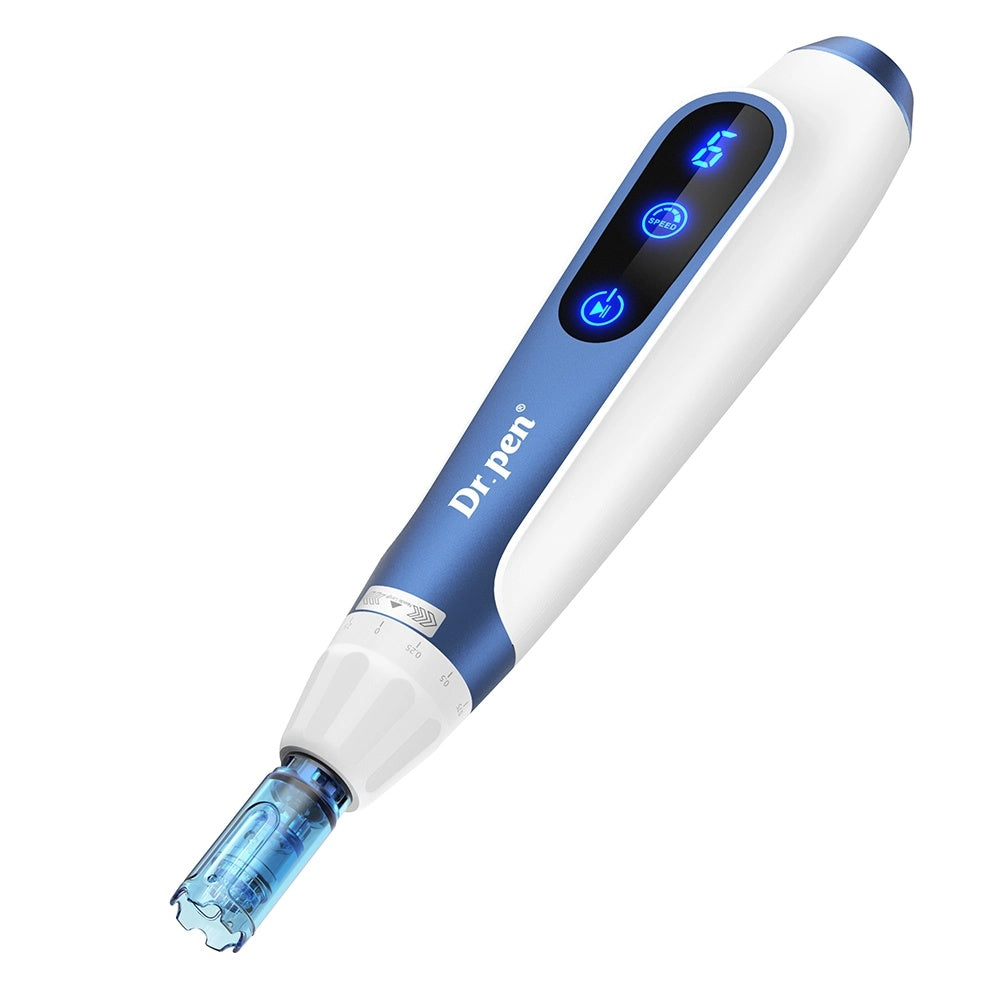
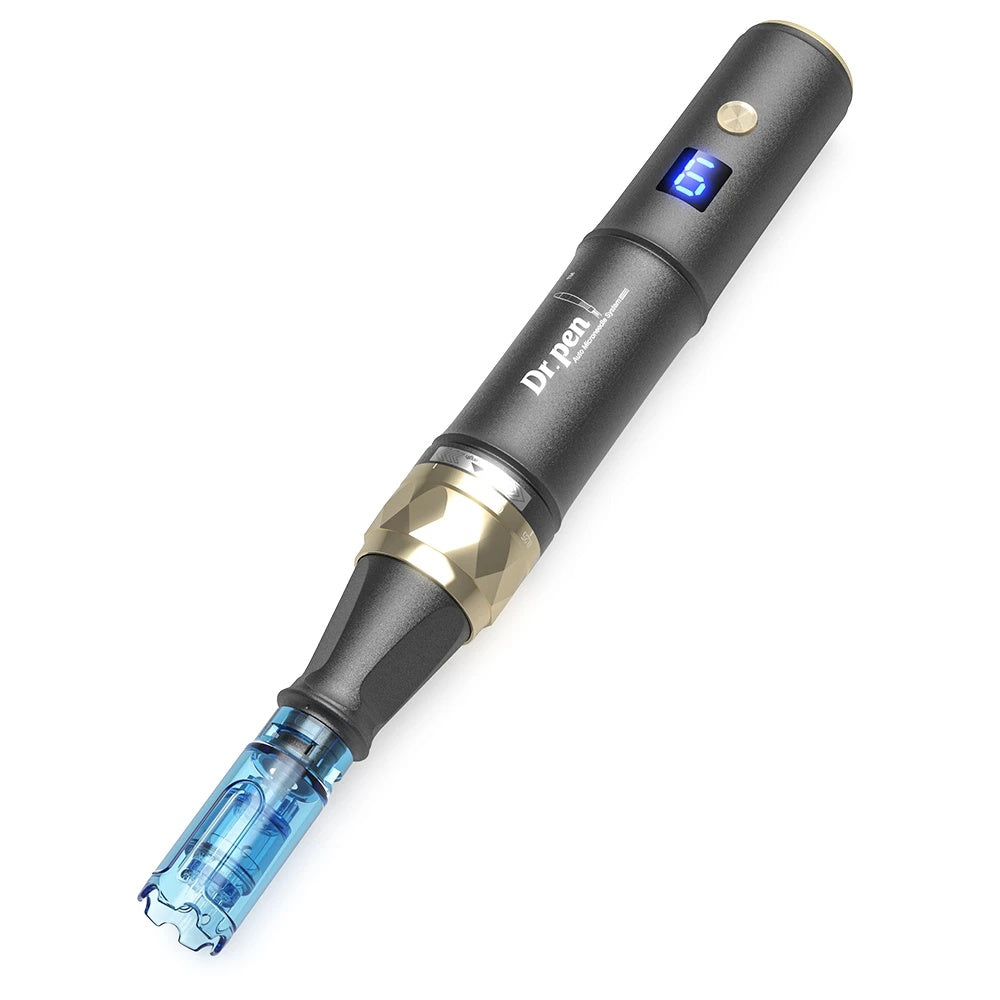
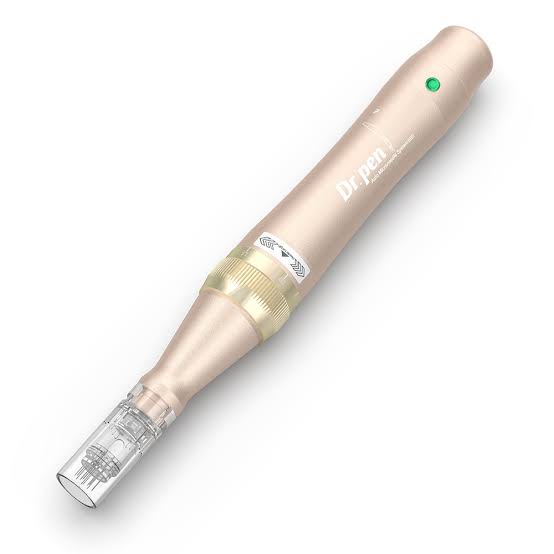
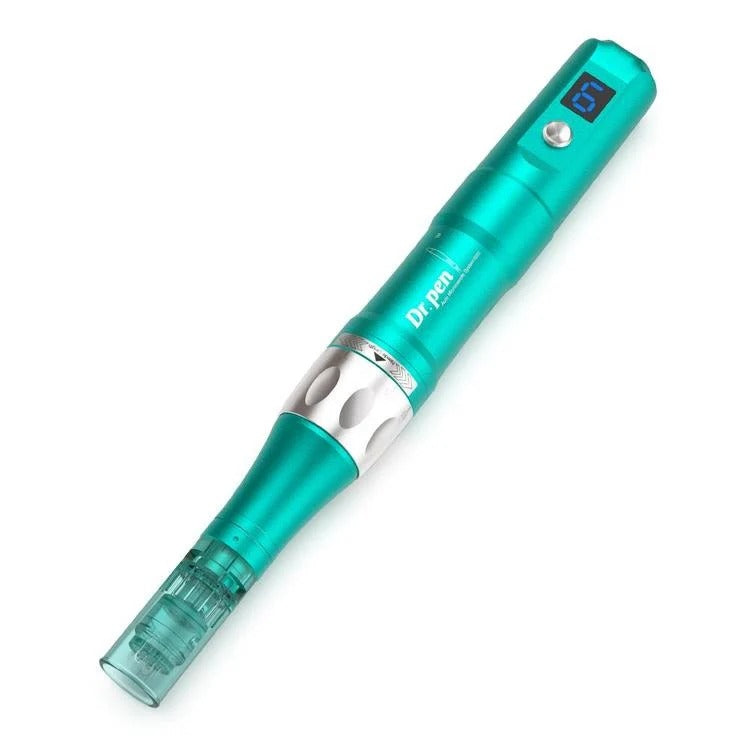
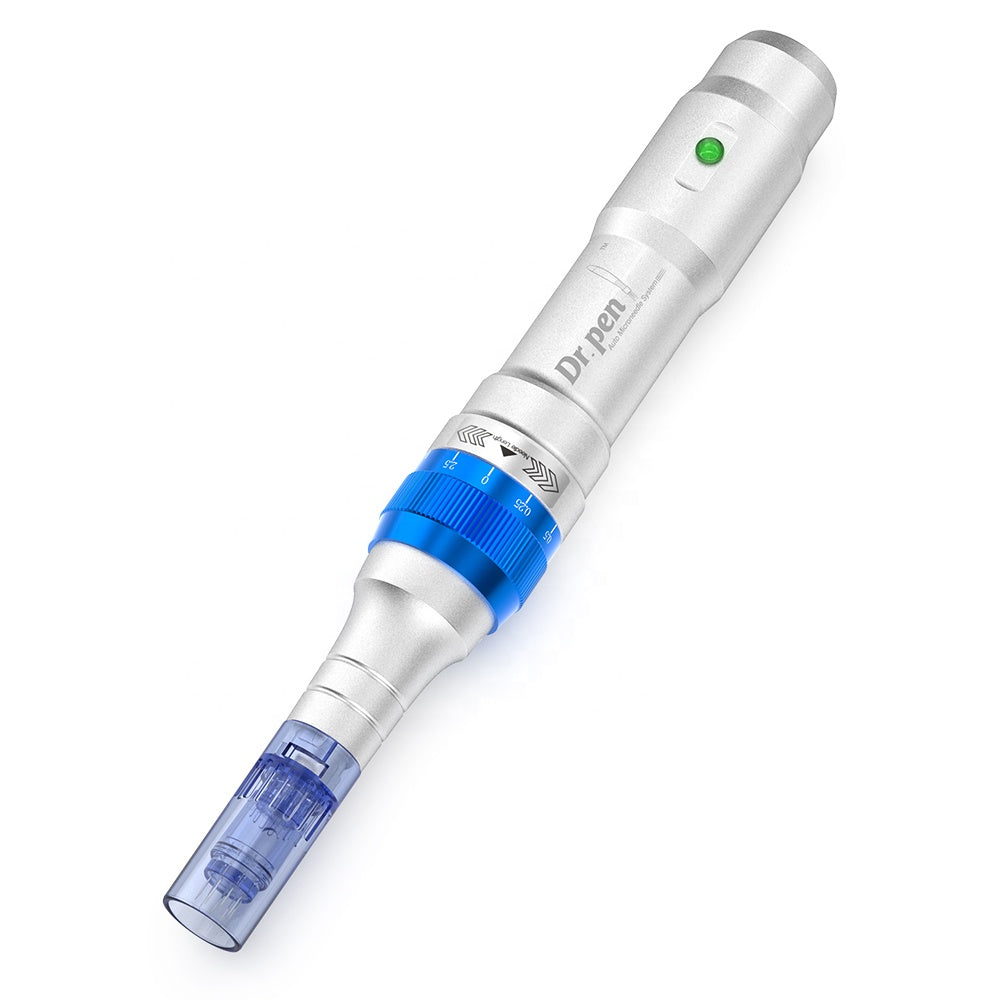
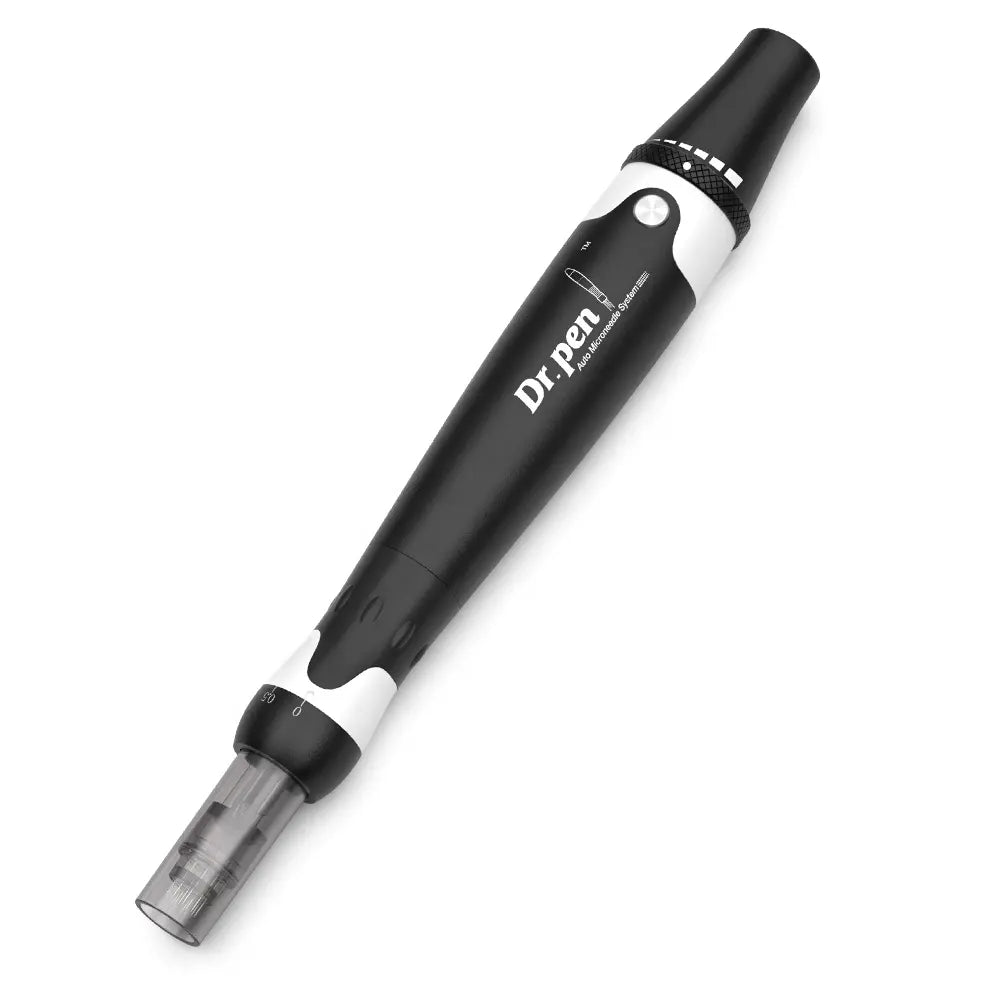
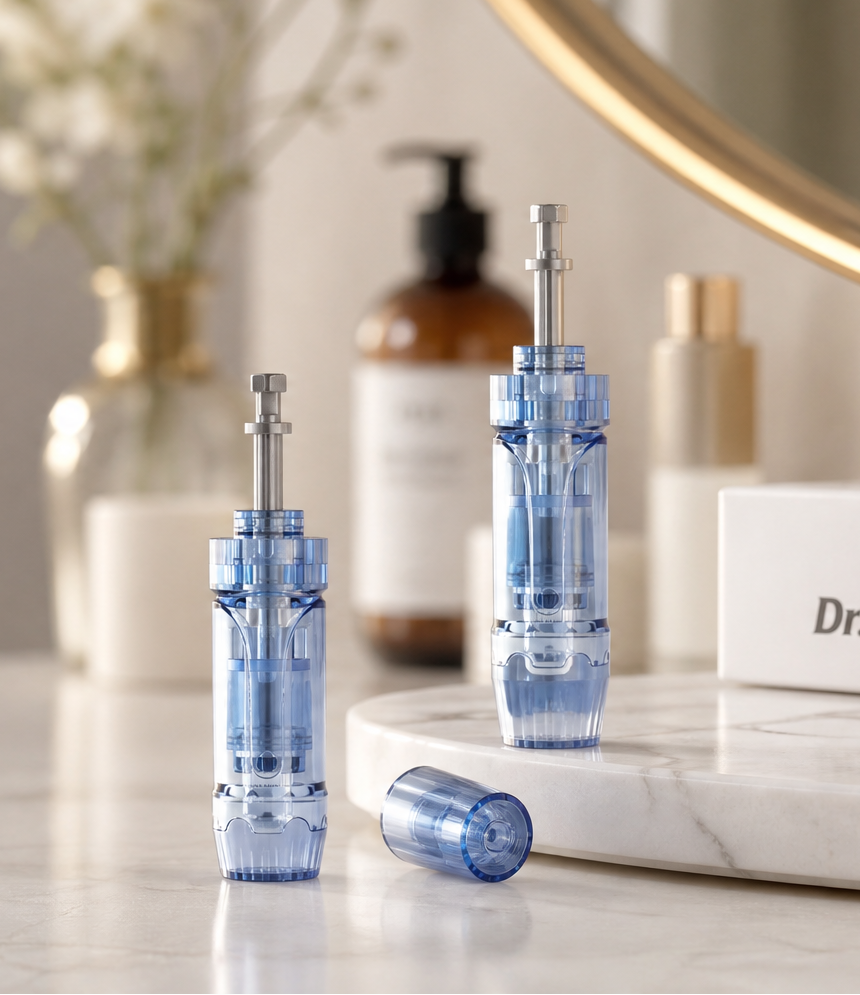
Each card shows the real device photo for that model so you can confirm your pen at a glance.






Four calm checks
Before you order
A short pause here prevents the wrong fit more reliably than guessing from photos alone.
Check the model label
Use the name printed on the pen or original box—not only colour, packaging, or marketing photos.
Match the product title
Choose a listing that clearly names your exact Dr. Pen model or shared family.
Compare the connector
If you still have a previous cartridge, compare the base and locking tabs before you order.
Keep packaging sealed
Confirm the fit first. Individually sealed cartridges should stay unopened until you are ready to use them.
Care basics
Good to know
Simple habits that protect fit, hygiene, and peace of mind.
Single use only
Each cartridge is intended for one session. Do not reuse or share cartridges.
Keep sealed until ready
Leave the sterile pack closed until you have confirmed model fit and are ready to begin.
Never force the fit
If a cartridge does not seat cleanly, stop and double-check the model family—do not force it.
Ask if you are unsure
Contact Dr. Pen Official Shop support with your model name before opening the pack.
Cartridge guide FAQ
Practical answers so you can finish shopping with fewer second guesses.
Do all Dr. Pen cartridges fit every device?
No. Several pens share similar-looking cartridges, but the connector and cartridge family must match your model. Start with the compatibility table, then confirm the product title.
What are the most common fit mistakes?
Buying by colour or packaging photos; mixing A6 with A6S; assuming an older cartridge fits M9 Smart Chip pens; and opening a sealed pack before confirming the product title lists your exact model. When unsure, compare the connector to a previous cartridge or ask support first.
What should I know about M9 Smart Chip cartridges?
M9 uses its own Smart Chip cartridge family. Choose listings made for M9 and avoid assuming older cartridge families will interchange.
What is a Nano cartridge?
Nano cartridges use a textured surface rather than a traditional pin count. They are generally compared for gentle surface contact and skincare application—not as a “higher pin” upgrade. Standard styles include Round, 3D, and 5D Nano.
Nano vs classic pins—how should I think about them?
Classic pins (9–42) are counted needle arrays with different coverage footprints. Nano is a different tip family: a textured surface face, not a higher pin count. Choose pins when you want a classic array feel; choose Nano when you want a surface-style tip. Always stay inside the options listed for your model.
Silicon Nano vs Round / 3D / 5D—what’s the difference?
Round, 3D, and 5D Nano are the standard Nano surface styles. Silicon / silicon-crystal Nano (often titled 3D Nano Silicon) is typically the sharper-edged Nano surface option, while still being a surface-style tip for light contact. Not every model offers Silicon Nano—check your row in the compatibility table and the product title.
Are A6 and A6S cartridges interchangeable?
No. A6 and A6S are different families. Match the exact model name in the product title (A6 vs A6S) before you buy.
Does a higher pin count mean a better cartridge?
Not automatically. Pin count mainly changes coverage and how concentrated contact feels. The better choice is the one that matches your model and the coverage style you prefer.
What if my model is not listed?
Check the exact model printed on your device or box, then contact support before opening a cartridge pack. We would rather help you confirm fit than guess.
Why do some models share one shop link?
Some pens belong to a shared cartridge family (for example M8 / M7S, or the M8S / A8S / A9 / A11 group). Browse the shared collection, then pick a title that lists your exact model.
Ready when you are
Shop with your model already in mind
You already know your model and tip preference. Shop the matching collection—or jump back to the table for one more look.