
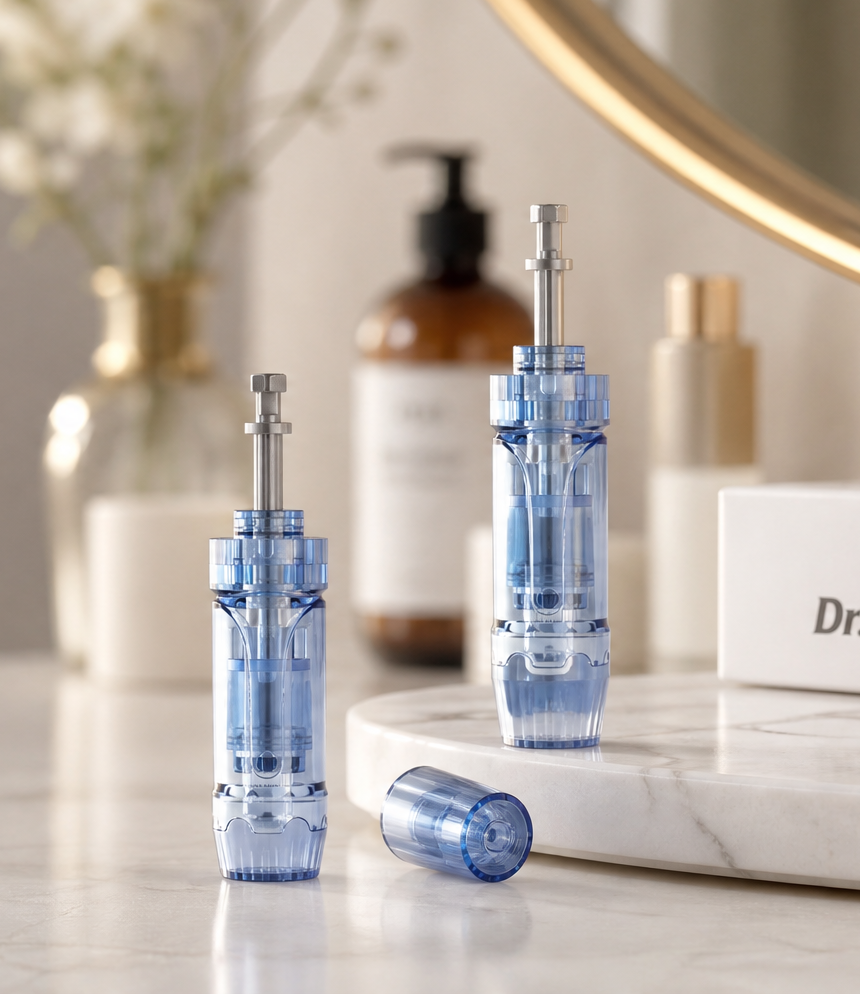
Derma Pen Maintenance Guide: Cleaning, Cartridge Replacement, and Storage
Good maintenance helps keep your derma pen clean, protected, and ready for its next use. After every session, take a few minutes to handle the device and cartridge correctly. This guide covers what to do after use, why cartridges should be replaced, how to clean the device surface, and how to store everything between sessions.
Important: Always follow the instructions supplied with your specific Dr Pen model and cartridge. This article is a general device-care guide, not medical advice. Do not use a device or cartridge that is damaged, contaminated, or not intended for your model.
What to do after every session
- Stop the device and disconnect it from power. Turn the pen off before handling the cartridge or cleaning the device.
- Remove the used cartridge carefully. Hold the cartridge by its base and avoid touching the needle area.
- Dispose of the cartridge immediately. Place it in a puncture-resistant sharps container or follow your local disposal requirements. Keep used cartridges away from children and pets.
- Wipe the device exterior. Use a clean, slightly damp, lint-free cloth or the cleaning method recommended in your model’s instructions. Keep liquid away from the motor, charging port, controls, and other openings.
- Let the device dry completely. Do not put the pen away while moisture or product residue remains on its surface.
Why every cartridge must be replaced
A cartridge is designed for a single use. Reusing it can transfer blood, skin cells, serum, and other residue from one session to another. Cleaning or soaking a used cartridge does not make it reliably sterile, and it can also leave the needles bent, dull, or damaged.
Use a new, sealed, compatible cartridge for every session. Check the packaging before opening it, and do not use a cartridge if the seal is broken, the packaging is wet or damaged, or the cartridge does not fit your device model securely.

How to avoid cross-contamination
- Wash and dry your hands before handling the device or a new cartridge.
- Open a new cartridge only when you are ready to use it.
- Do not share a cartridge or a device that has not been cleaned according to the manufacturer’s instructions.
- Keep the cartridge tip away from countertops, towels, sinks, and other surfaces.
- Do not place a used cartridge back into its original package.
- Keep skincare products and liquids away from the device openings.
How to clean the device surface
Focus on the outside of the pen and the areas that may have come into contact with product or residue. Gently wipe the housing and cartridge connection area with a clean, lint-free cloth using the care method specified for your model. Never immerse the pen in water, run it under a tap, or pour cleaning liquid directly onto it.
Avoid abrasive cloths, excessive force, and unapproved chemicals. Strong solvents may damage the finish, seals, labels, or internal components. If residue has entered an opening or the device behaves unusually after cleaning, stop using it and contact the manufacturer or seller for guidance.
How to store new cartridges
Keep unused cartridges sealed in their original packaging until needed. Store them in a clean, dry place away from direct sunlight, heat, humidity, dust, and extreme temperature changes. Do not store loose cartridges in a makeup bag or drawer where the tip can be touched or damaged.
Before use, check the expiration information if provided and inspect the packaging. When in doubt about the condition of a cartridge, replace it with a new one.
How to store your derma pen when you are not using it
- Remove the cartridge and dispose of it safely.
- Clean the exterior using the recommended method.
- Make sure the pen is fully dry before storage.
- Place the pen and its accessories in a clean protective case or storage area.
- Keep the device away from moisture, direct sunlight, excessive heat, and places where it may be dropped.
For long-term storage, follow your model’s charging and battery-care instructions. Do not leave the device connected to power indefinitely unless the manufacturer specifically recommends it.

Common maintenance mistakes
- Reusing a cartridge: A used cartridge should not be saved for another session.
- Cleaning by immersion: Water or cleaning liquid inside the pen can damage internal components.
- Storing the pen while damp: Moisture and residue can build up during storage.
- Touching the needle area: This can damage the cartridge and compromise hygiene.
- Using an incompatible cartridge: An improper fit may affect performance and safety.
- Ignoring damaged packaging: Use a replacement cartridge if the seal or packaging is compromised.
When to stop using the device
Stop using the pen and inspect it if the device becomes unusually hot, makes a new or abnormal sound, leaks, has a damaged cable or housing, fails to hold the cartridge securely, or shows signs of liquid inside. Do not attempt to repair a damaged device yourself.
For personal-use questions or skin concerns after a session, seek advice from a qualified healthcare professional. If you experience persistent pain, increasing redness, swelling, discharge, fever, or another concerning reaction, stop using the device and seek medical care.
A simple maintenance routine
After each use: remove and safely discard the cartridge, wipe the device exterior, let it dry, and store it in a clean place. Before the next session: wash your hands, inspect the pen, and open a new compatible cartridge only when you are ready to use it.
With this routine, your Dr Pen stays cleaner, your cartridges stay protected, and your device is easier to care for between sessions.
Looking for replacement cartridges? Browse the compatible Dr Pen cartridges for your device model before your next session.
Share:
Nanoneedling for Sensitive Skin: A Gentle Guide for Beginners
Microneedling Aftercare: What to Do in the First 24 Hours